 Name it
right.
Every
family.
Rename families and types at scale. Find-replace, prefix/suffix, validation rules, and Excel round-trip — all without leaving Revit.
Get Digitteck Suite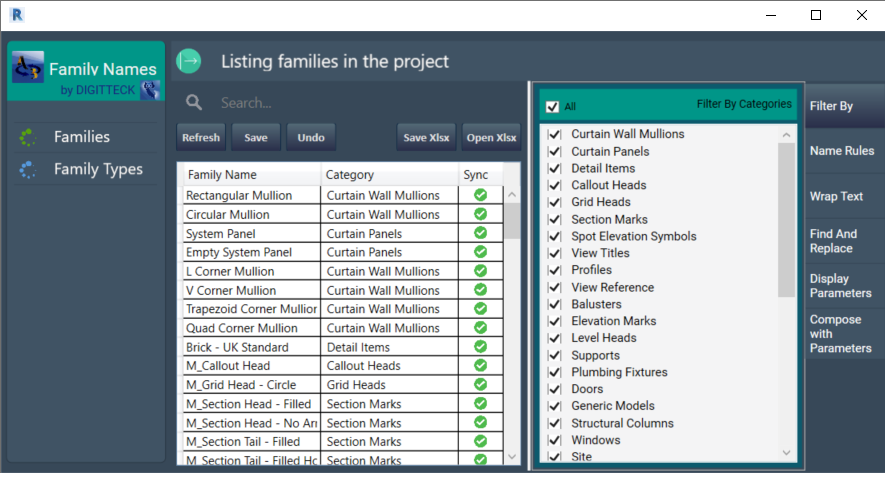
"Consistent names.
Consistent model.
Consistent team."
FamilyNames is a name management plugin for Autodesk Revit. Standardization is a process in which a given name is broken into constituent parts — for collaborative BIM projects, it's a core requirement.
With a single click you can check and adjust the naming of all families and types against your rules. Any changes sync immediately back to Revit — no manual tracking, no copy-paste errors.
Features
Inline Rename
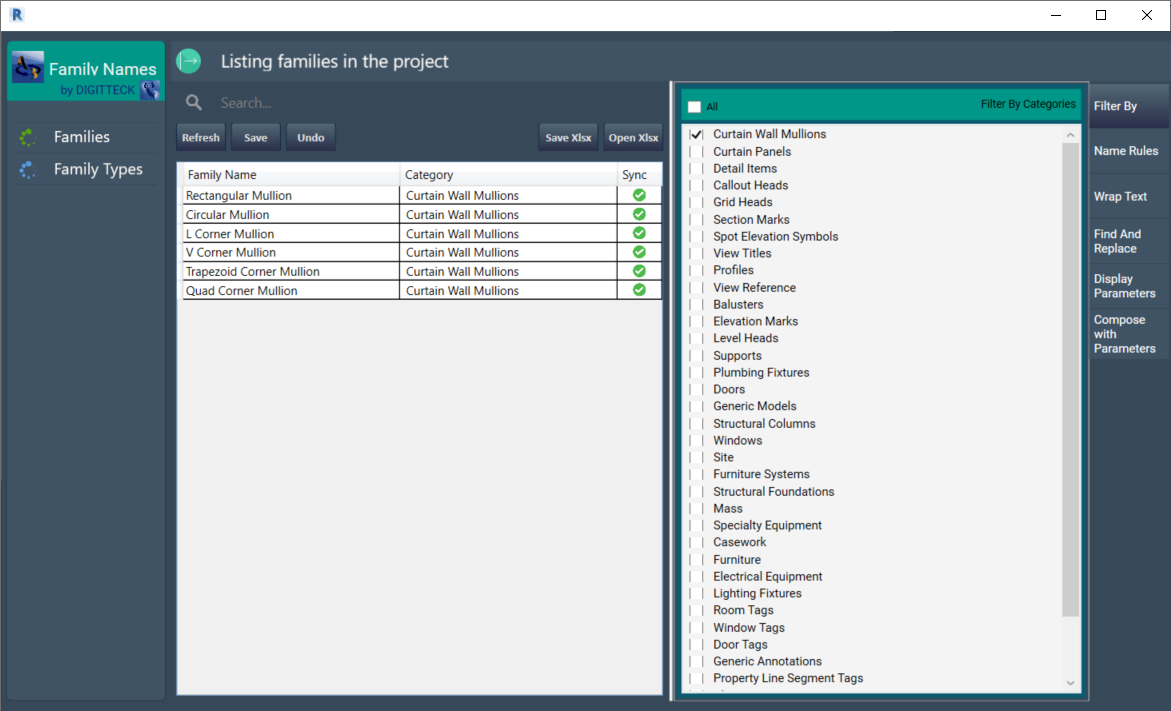
Find & Replace
Wrap Text
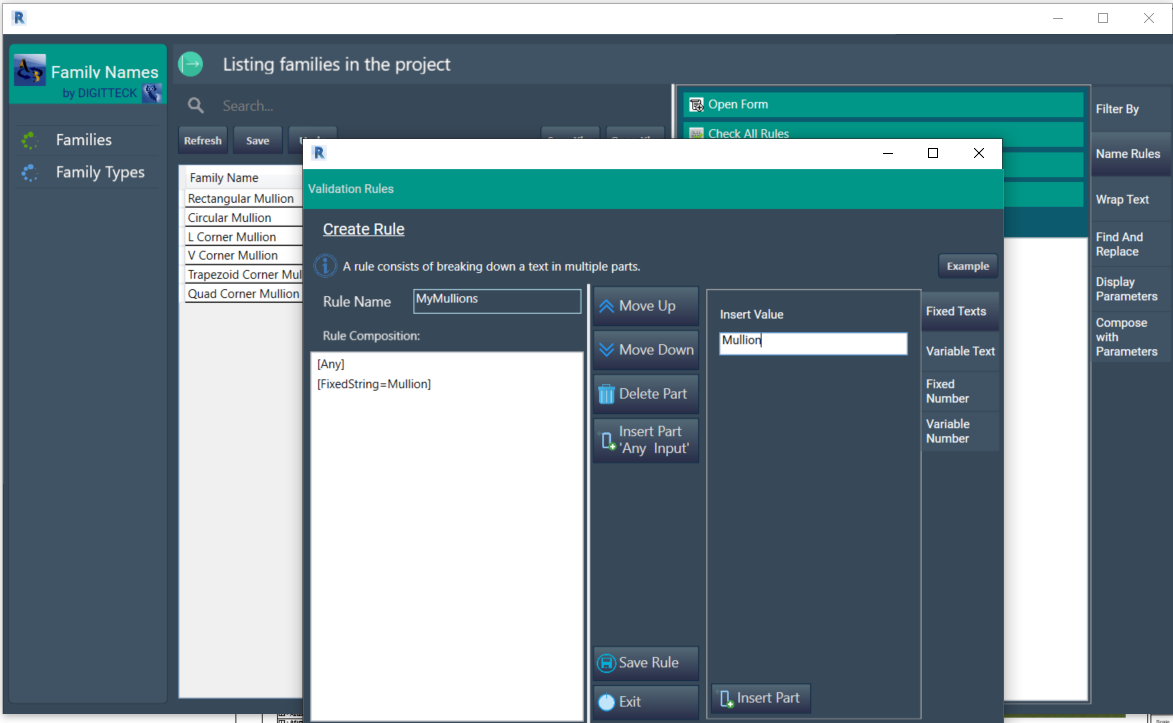
Validation Rules
Display Parameters
Parameter Composition
Two workflows
In-App Editing
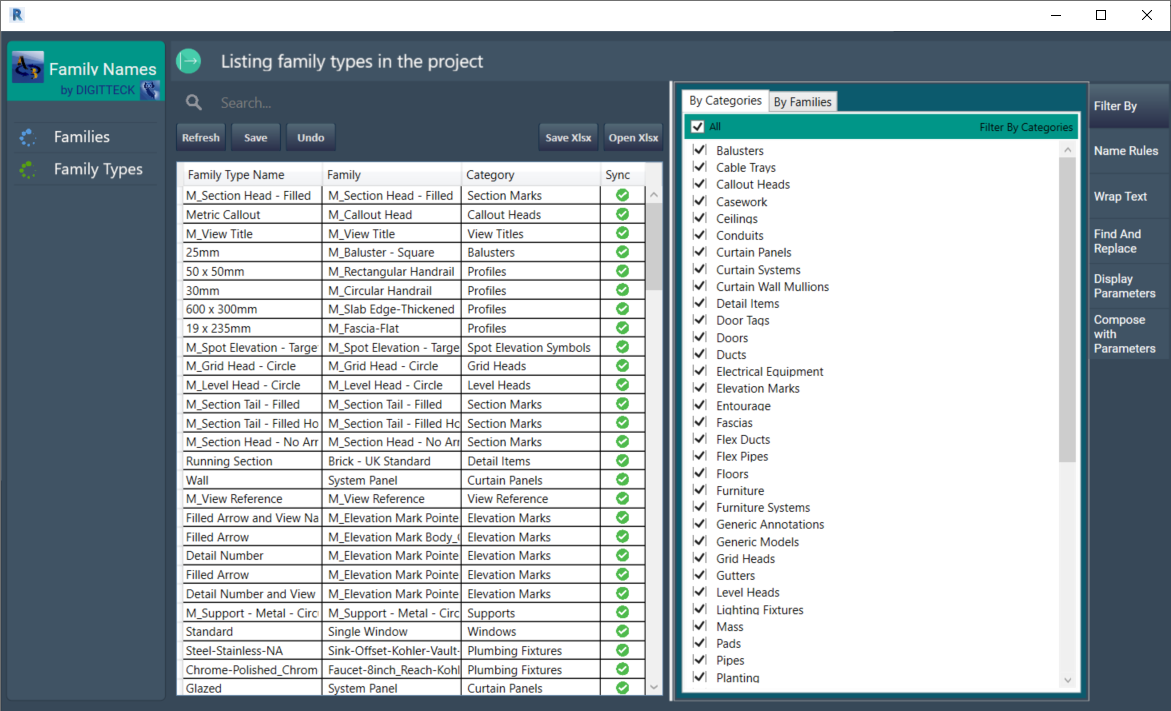
- Browse all families and types in the live table view.
- Double-click to rename, use find-replace for bulk changes.
- Sync changes to Revit with a single click when ready.
Video demos
Introduction
Full Walkthrough
Interface
Main table view
Find and replace
Naming rules
Excel export
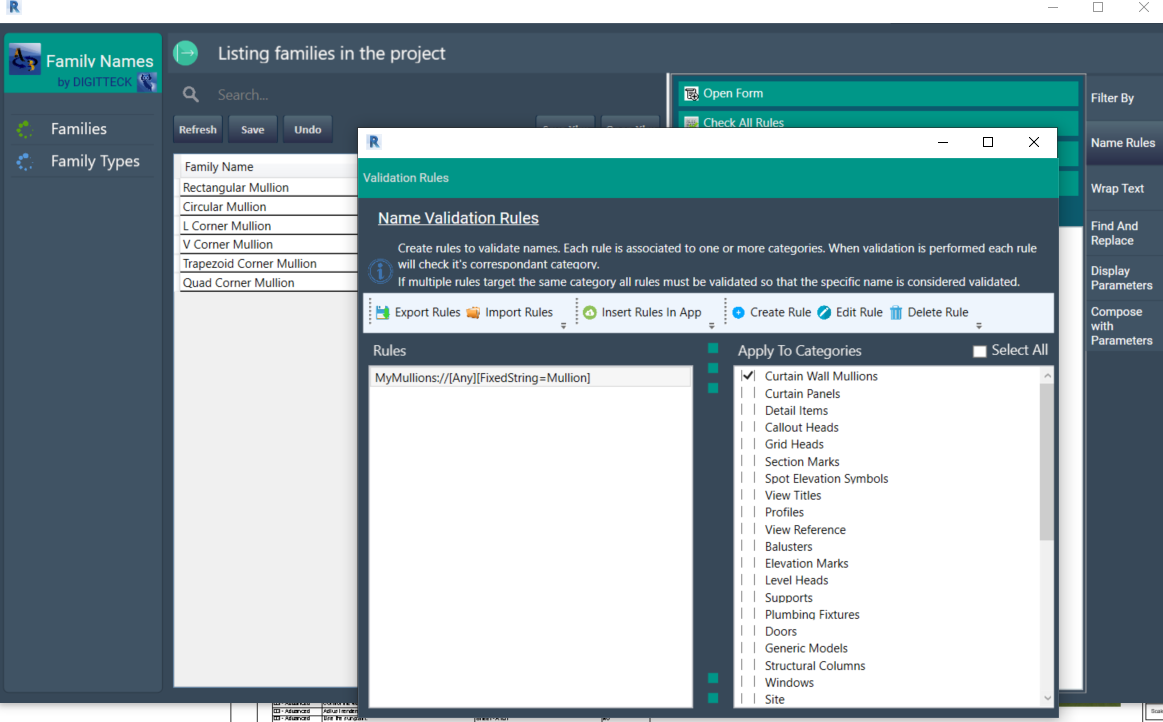
Prefix / suffix wrap
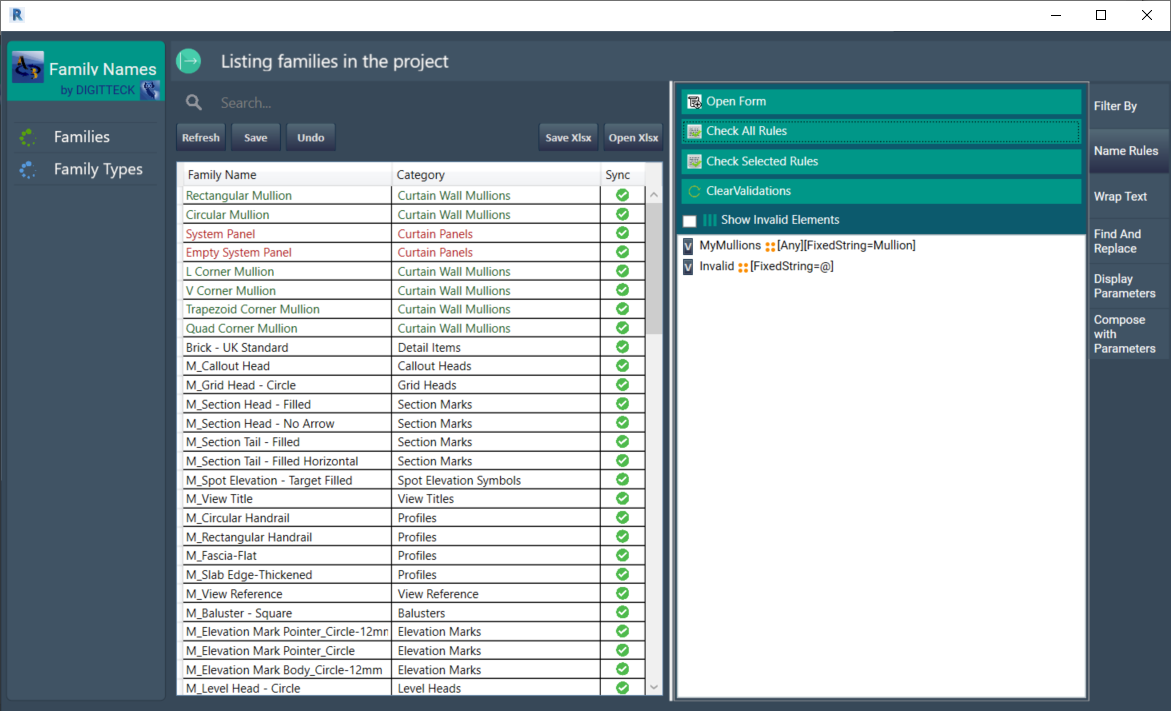
Validation results
FamilyNames is exclusively available as part of Digitteck Suite. You must have an active Digitteck Suite subscription from the Autodesk App Store and be logged into Revit with your Suite subscription email. Legacy standalone licenses remain valid but will not receive updates — please migrate to Suite for continued support.
FamilyNames is part of
Digitteck Suite
Get it on Autodesk App StoreIncludes all five tools · Requires Revit for Windows