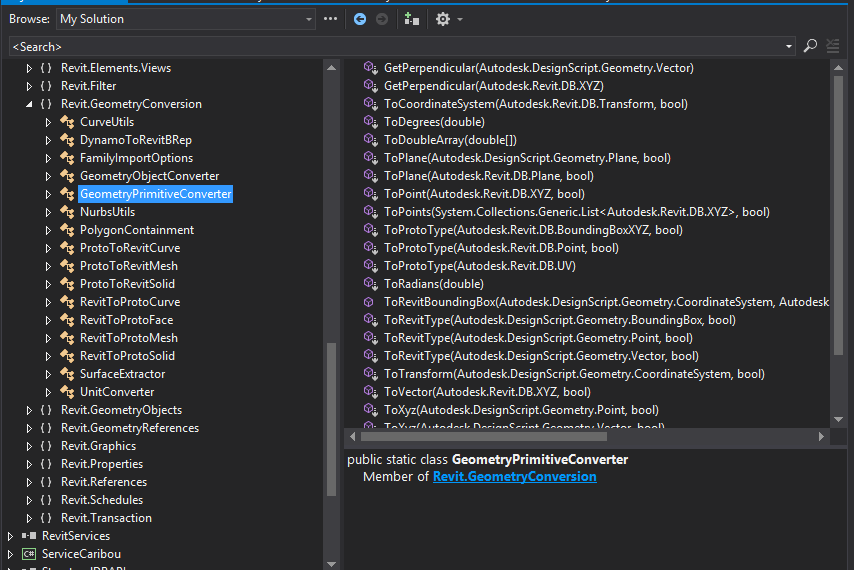
When writing Python script nodes in Dynamo for Revit, you often need to move geometry between two different coordinate systems: Dynamo's DesignScript types (e.g. Point, Vector, Solid) and Revit's DB types (e.g. XYZ, Transform). Extension methods in RevitNodes.dll handle these conversions by adding methods directly to the existing types, so the call site reads as naturally as a method on the object itself.
Extension Methods
Extension methods are static methods compiled to act as if they belong to the target type's class — the this parameter in the static signature becomes the object the method is called on. They let you add behaviour to types you do not own or cannot subclass. Once clr.ImportExtensions(Revit.GeometryConversion) runs, the new methods appear on the DS and DB types transparently.
Usage
GeometryPrimitiveConverter handles primitive types (XYZ, Vector, Transform), while the broader GeometryConversion namespace covers curves, solids, and meshes. Both directions — DS → Revit DB and Revit DB → DS — are available:
import clr

# RevitNodes.dll ships with Dynamo and adds extension methods for geometry conversion.
# Location: Program FilesDynamoDynamo Revit{version}Revit_{version}RevitNodes.dll
clr.AddReference("RevitNodes")
import Revit
clr.ImportExtensions(Revit.GeometryConversion)
from Revit import GeometryConversion as gp

# --- DesignScript → Revit DB ---
# DS Point → Revit XYZ
dbPoint = IN[0].ToXyz()

# DS Vector → Revit XYZ
dbVector = IN[1].ToXyz()

# DS CoordinateSystem → Revit Transform
dbTransform = IN[2].ToTransform()

# DS Solid → Revit Solid
dbSolid = IN[3].ToRevitType()

# DS Curve → Revit Curve (two equivalent forms)
dbCurve = IN[4].ToRevitType()
# or explicitly via static method:
# dbCurve = gp.ProtoToRevitCurve.ToRevitType(IN[4])

# --- Revit DB → DesignScript ---
# Revit XYZ → DS Point
dsPoint = dbPoint.ToPoint()

# Revit XYZ → DS Vector
dsVector = dbVector.ToVector()

# Revit Solid → DS Mesh
dsMesh = dbSolid[0].ToProtoType()

OUT = dbPoint, dbVector, dbTransform, dbSolid, dbCurve, dsPoint, dsVector, dsMesh