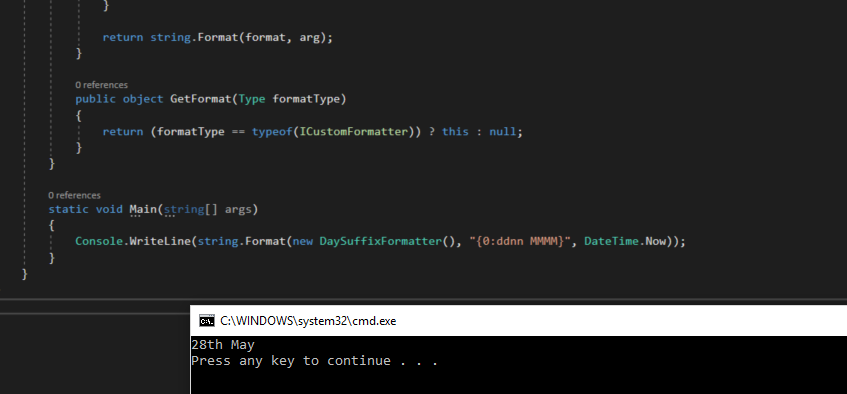
When displaying a formatted date with a day suffix (1st, 2nd, 3rd, 4th…) it is tempting to use string manipulation helpers. .NET provides a cleaner mechanism for this: implementing IFormatProvider and ICustomFormatter — the same extensibility point used by string.Format and string interpolation.
How It Works
IFormatProvider.GetFormatis called bystring.Formatto discover what formatter object it should use. ReturnthiswhenICustomFormatteris requested.ICustomFormatter.Formatreceives the format string and the argument. Use custom tokens —nn(lowercase) andNN(uppercase) — that standardDateTime.ToStringpasses through unchanged, then replace them with the correct suffix.
Usage
csharp
// Using the custom formatter with string.Format
// The "nn" token in the format string will be replaced by the day suffix (st, nd, rd, th)
static void Main(string[] args)
{
    Console.WriteLine(string.Format(new DaySuffixFormatter(), "{0:ddnn MMMM}", DateTime.Now));
    // Output example: 28th May
}
Implementation
csharp
public class DaySuffixFormatter : IFormatProvider, ICustomFormatter
{
    // IFormatProvider — return this instance when ICustomFormatter is requested
    public object GetFormat(Type formatType)
    {
        return (formatType == typeof(ICustomFormatter)) ? this : null;
    }

    // ICustomFormatter — intercept DateTime values and expand the "nn" / "NN" token
    public string Format(string format, object arg, IFormatProvider formatProvider)
    {
        if (arg is DateTime dateTime)
        {
            string formatted = dateTime.ToString(format);

            // Replace nn with lowercase suffix, NN with uppercase suffix
            formatted = formatted.Replace("nn", AddDaySuffix(dateTime.Day).ToLower());
            formatted = formatted.Replace("NN", AddDaySuffix(dateTime.Day).ToUpper());

            if (formatted.StartsWith("0"))
                formatted = formatted.Remove(0, 1);

            return formatted;
        }

        return string.Format(format, arg);
    }

    private string AddDaySuffix(int integer)
    {
        // 11th, 12th, 13th are exceptions to the last-digit rule
        switch (integer % 100)
        {
            case 11:
            case 12:
            case 13:
                return "th";
        }

        switch (integer % 10)
        {
            case 1:  return "st";
            case 2:  return "nd";
            case 3:  return "rd";
            default: return "th";
        }
    }
}