
This walkthrough covers calling the Microsoft Graph API from an ASP.NET Core WebApi using Azure AD client credentials flow — authenticated with a certificate stored in Azure Key Vault rather than a client secret.
Step 1 — Create a Certificate
Create a self-signed certificate using PowerShell and export it to the certificate store:

Step 2 — Extract the Public Certificate
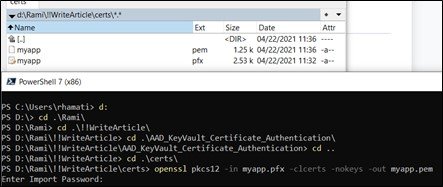
Export the public key (PEM/CER) using OpenSSL — this is what gets uploaded to Azure AD:
Step 3 — AAD App Registration
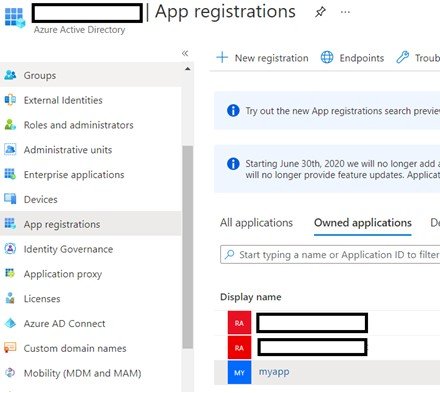
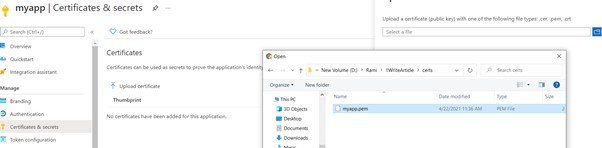
Register an application in Azure Active Directory and upload the public certificate as a credential:
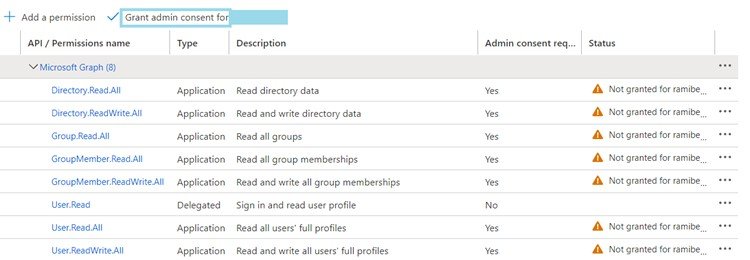
Grant the required Microsoft Graph API permissions (e.g. User.Read.All) and grant admin consent:
Step 4 — KeyVault
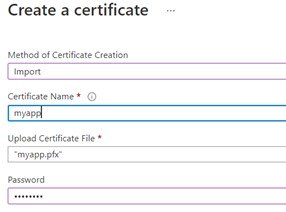
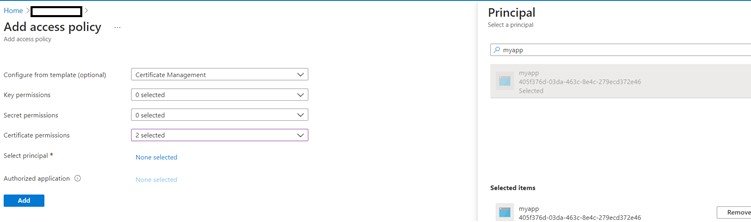
Import the full PFX (with private key) into Azure Key Vault as a certificate, and create an access policy allowing your WebApi's managed identity to read certificates and secrets:
Step 5 — Code Details
Required NuGet packages:
Azure.Identity
Azure.Security.KeyVault.Certificates
Azure.Security.KeyVault.Secrets
Microsoft.Graph.Auth
Newtonsoft.Json
Microsoft.Graph
The factory retrieves the PFX bytes from Key Vault Secrets (the certificate's secret representation) and builds an IConfidentialClientApplication using MSAL, then wraps it in a GraphServiceClient:
public static class ConfidentialClientFactory
{
    public static async Task<IConfidentialClientApplication> Create(
        string tenantId,
        string clientId,
        string keyVaultUrl,
        string certificateName)
    {
        var credential = new DefaultAzureCredential();

        var certClient = new CertificateClient(
            new Uri(keyVaultUrl), credential);

        KeyVaultCertificateWithPolicy certWithPolicy =
            await certClient.GetCertificateAsync(certificateName);

        var secretClient = new SecretClient(
            new Uri(keyVaultUrl), credential);

        KeyVaultSecret secret =
            await secretClient.GetSecretAsync(
                certWithPolicy.SecretId.Segments[^2].TrimEnd('/'),
                certWithPolicy.SecretId.Segments[^1]);

        byte[] certBytes = Convert.FromBase64String(secret.Value);
        using var cert = new X509Certificate2(certBytes);

        return ConfidentialClientApplicationBuilder
            .Create(clientId)
            .WithTenantId(tenantId)
            .WithCertificate(cert)
            .Build();
    }

    public static GraphServiceClient CreateGraphClient(
        IConfidentialClientApplication app,
        string[] scopes)
    {
        var authProvider = new ClientCredentialProvider(app);
        return new GraphServiceClient(authProvider);
    }
}
With the GraphServiceClient in hand, querying users is straightforward:
IGraphServiceUsersCollectionPage users = await graphClient.Users
    .Request()
    .Filter(quot;mail eq '{email}'")
    .Select("id,displayName,mail")
    .Expand("memberOf")
    .GetAsync();