 Number
everything.
Number it
right.
Number doors, rooms, spaces, pipes, ducts and more: 20 Revit categories, five strategies, and a live preview before anything is written.
Get Digitteck Suite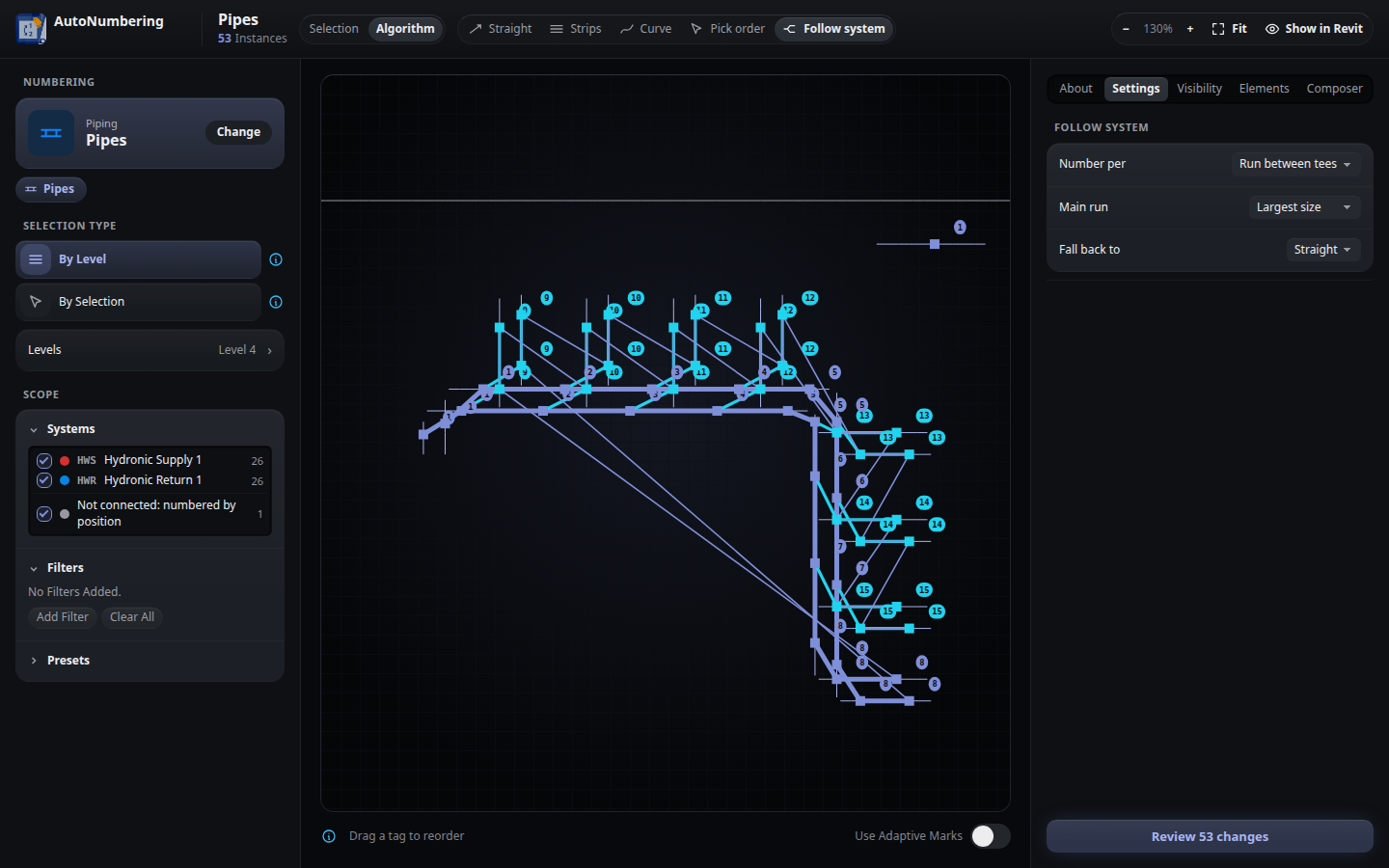
"Marks define your model.
Marking them shouldn't define your day."
AutoNumbering captures your project requirements and translates them into precise, reproducible numbering in seconds. From a single door to every pipe run on every level — the application handles the spatial logic so you don't have to.
Everything happens in one window: choose a category, select what to number, pick a strategy and watch every new number appear on a live drawing of the plan, then review and save. Every decision is explicit. Every result is predictable.
The workflow
Category
Selection
Algorithm
Review
Save
Five strategies
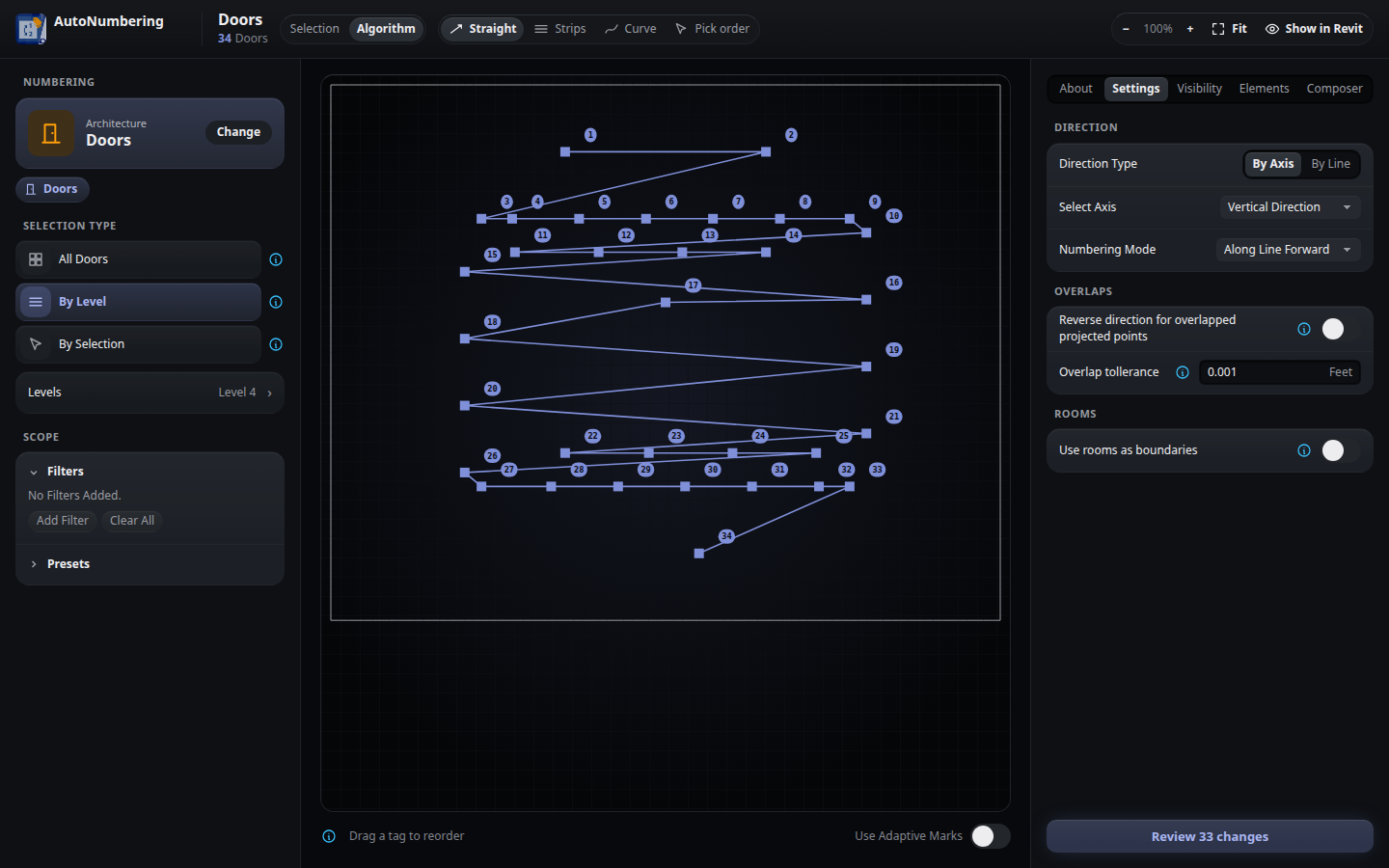
Straight
- Number along the X or Y axis of the plan.
- Or pick a line in the model, and the numbers follow its direction.
- The fastest strategy for orthogonal floor plans.
Video demos
5 Ways to Number Doors
Number Pipes by System
Rooms, Spaces & Custom Marks
Interface
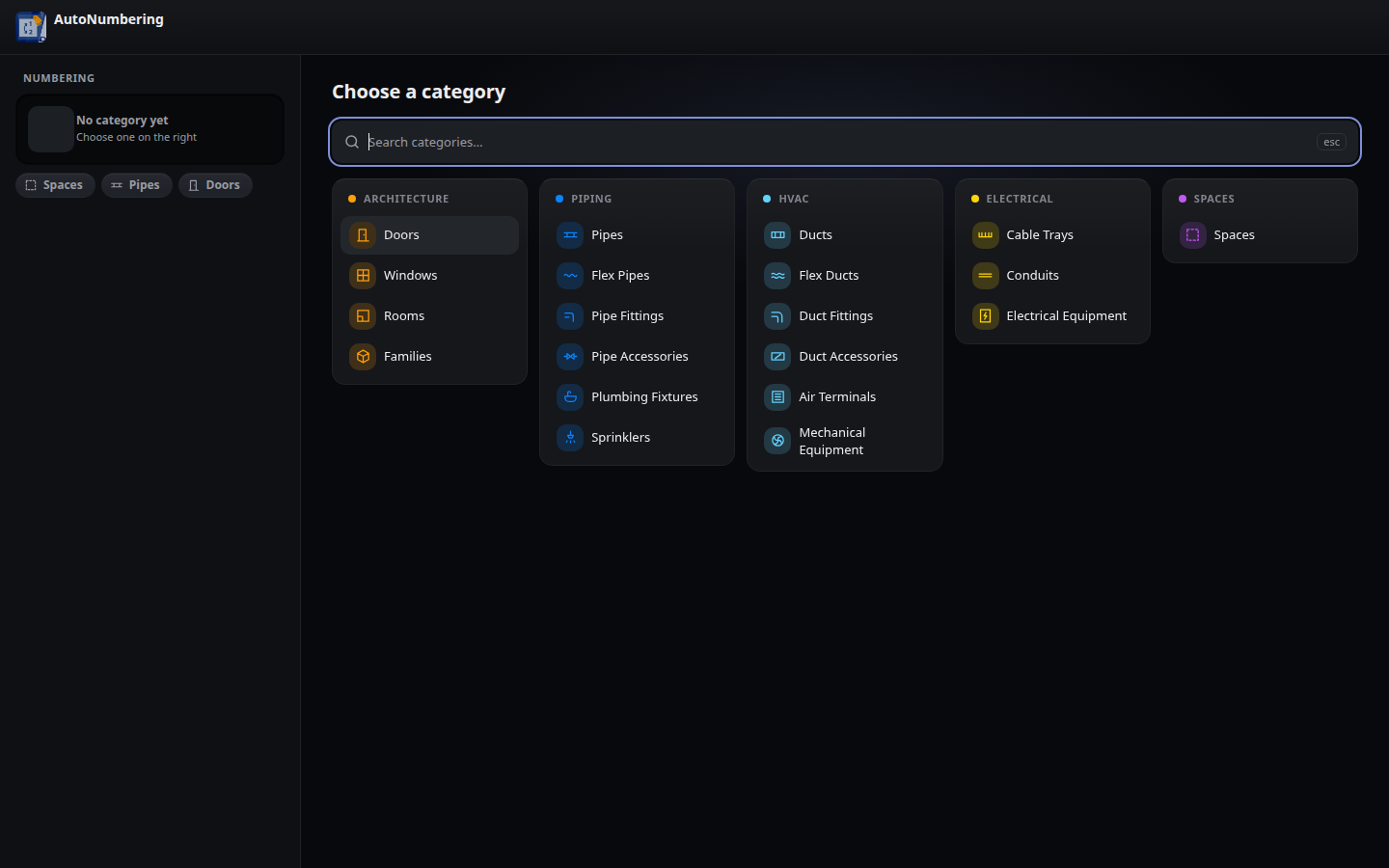
20 categories in five disciplines
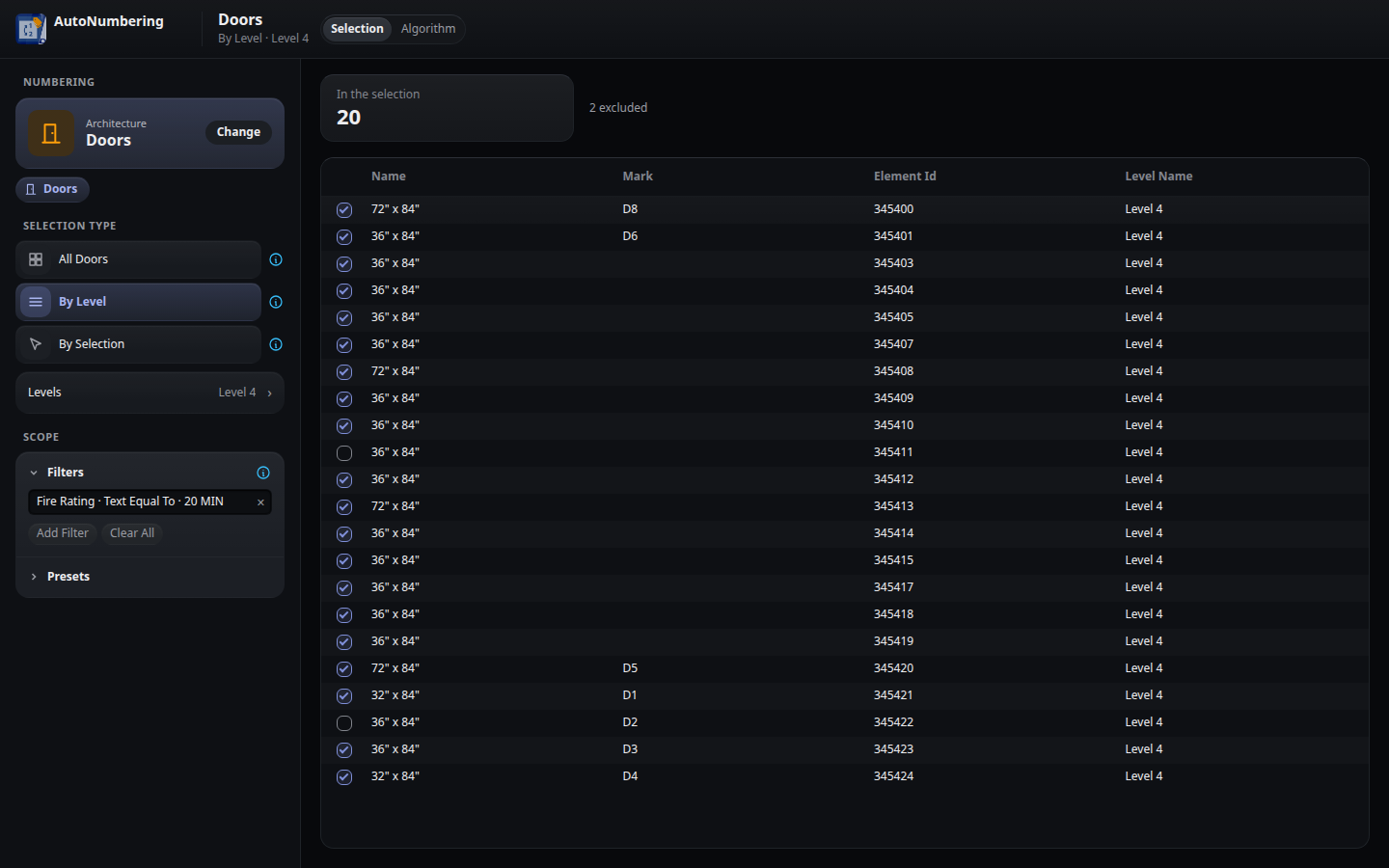
Selection: levels, filters and unticked rows
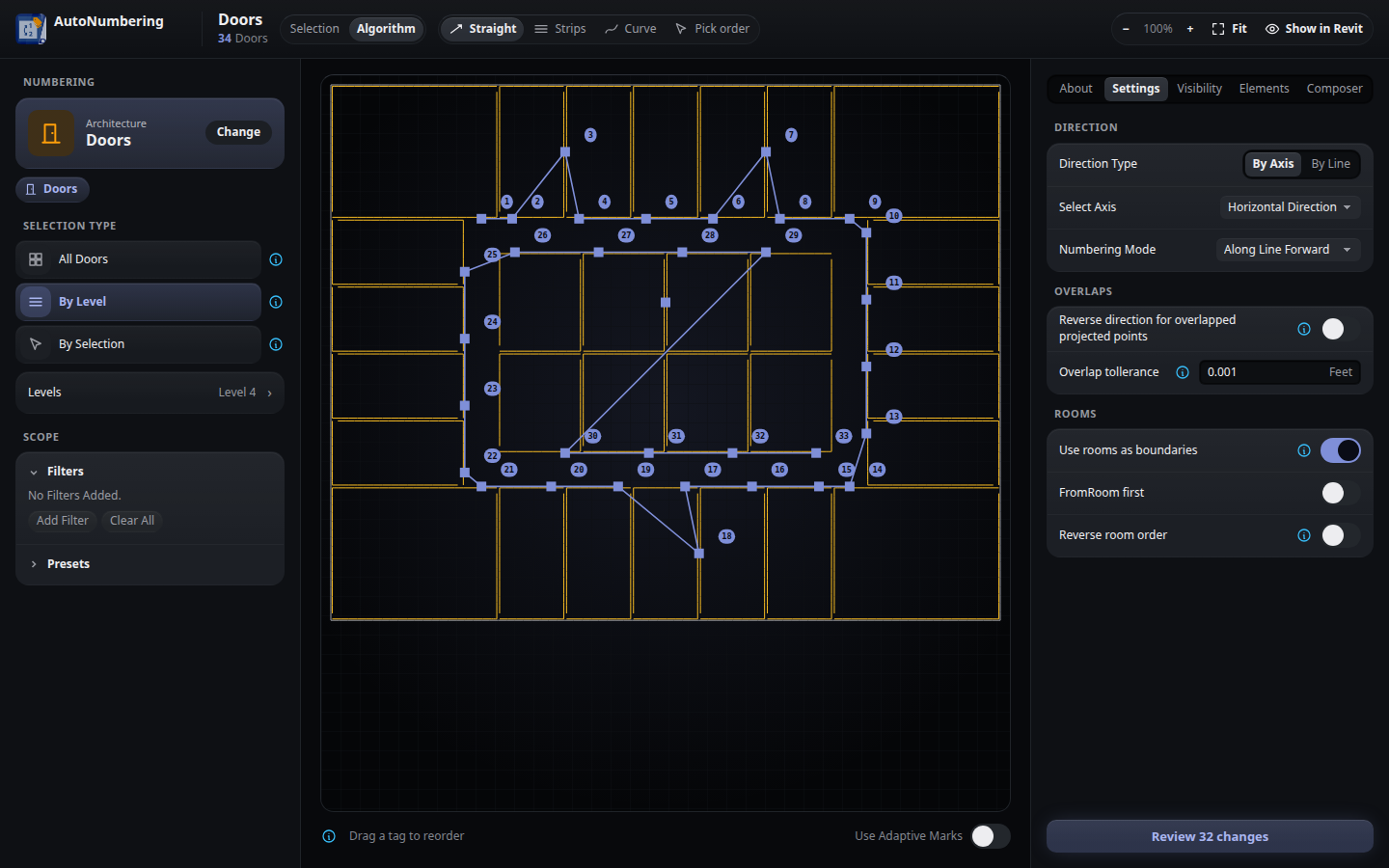
Doors numbered room by room
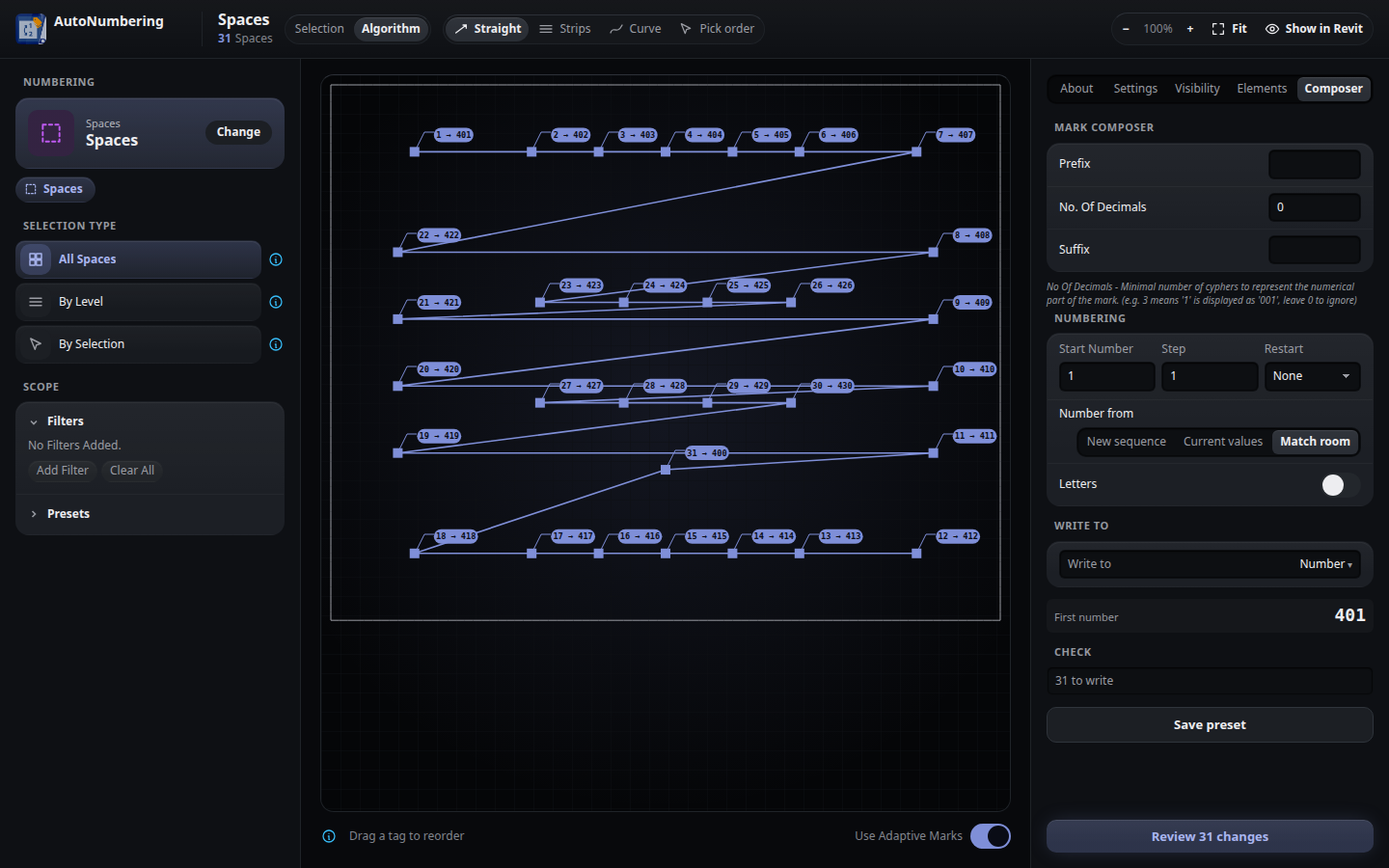
Spaces taking their room's number
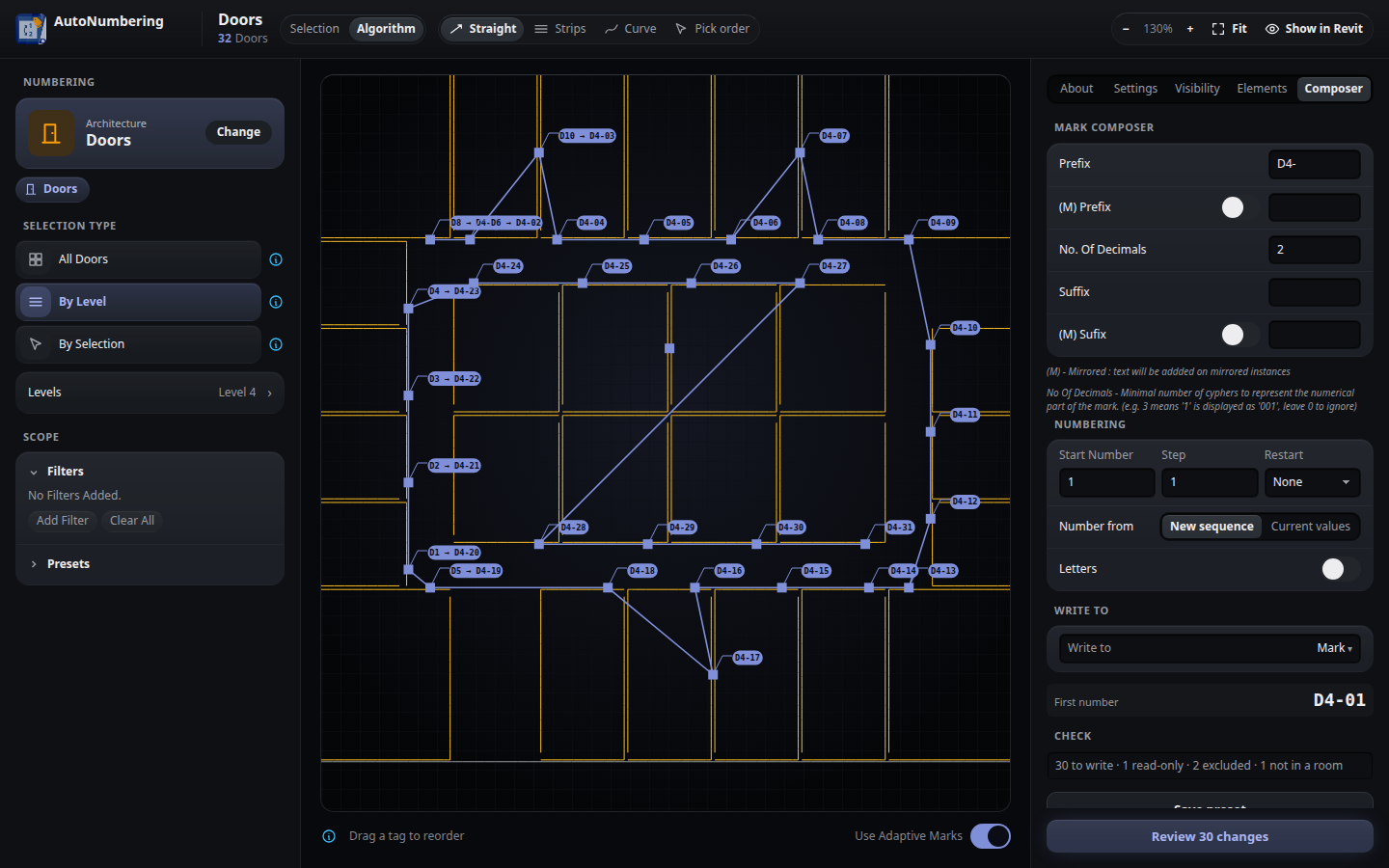
Composer with Adaptive Marks (current → new)
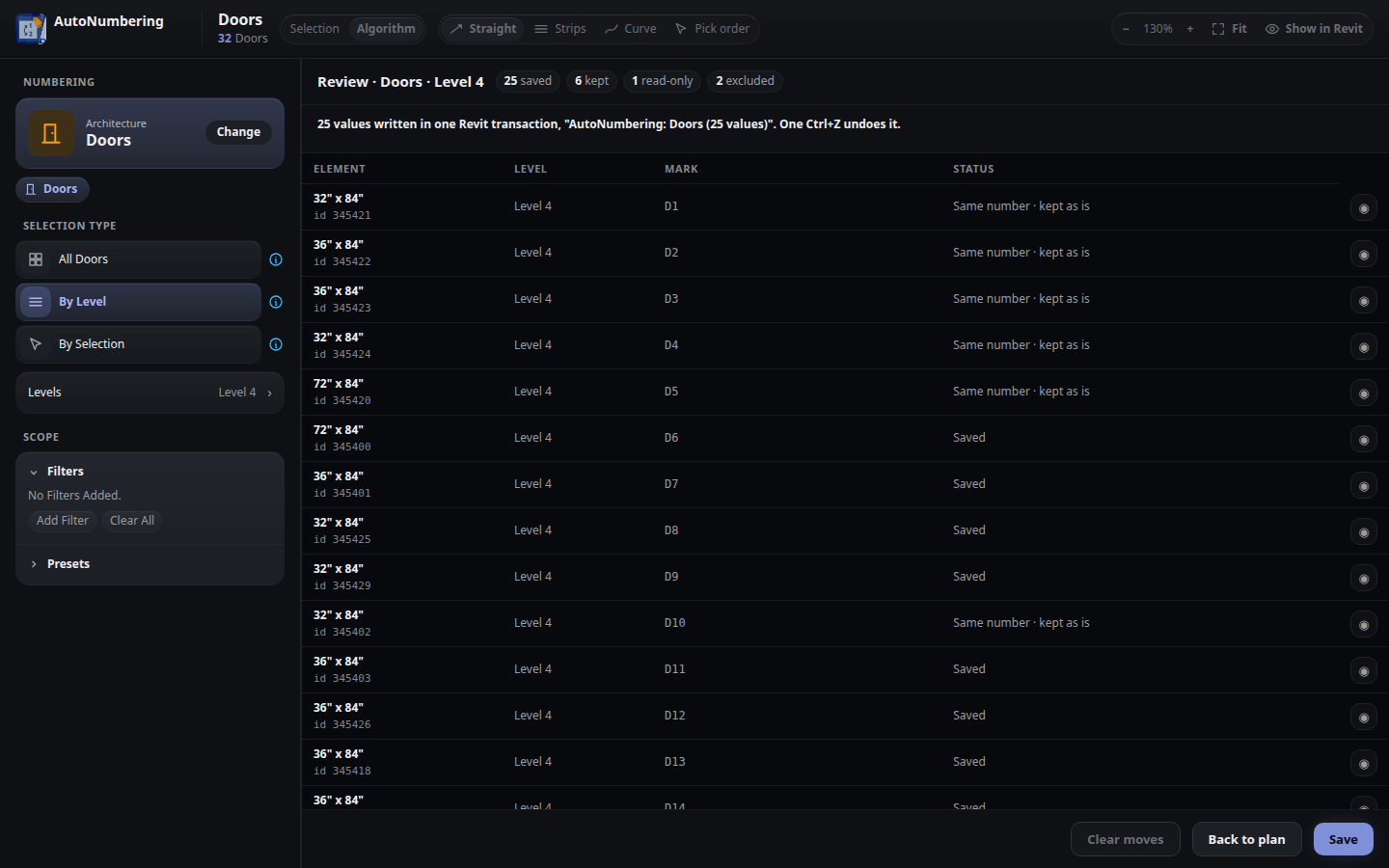
Saved in one Revit transaction
AutoNumbering is exclusively available as part of Digitteck Suite. You must have an active Digitteck Suite subscription from the Autodesk App Store and be logged into Revit with your Suite subscription email. Legacy standalone licenses remain valid but will not receive updates — please migrate to Suite for continued support.
AutoNumbering is part of
Digitteck Suite
Get it on Autodesk App StoreIncludes all five tools · Requires Revit for Windows